To reduce JPG file size, resize the image if you can use fewer pixels. If the dimensions need to stay the same, lower the JPEG quality setting and compare the result with the original.
Quality is a dial, not a switch
The quality value controls how aggressively the encoder discards high-frequency detail. It is not a percentage of "image quality" — the curve is much steeper than that:
| Quality | When to try it | What to inspect |
|---|---|---|
| 95 | Detailed photos | Fine lines and texture |
| 85 | Web photos | Texture and smooth gradients |
| 70 | Small thumbnails | Softening in fine texture |
| 50 | A tight size limit | Blocking around edges |
Use these settings as starting points. File size and visible changes vary with the original image and encoder.
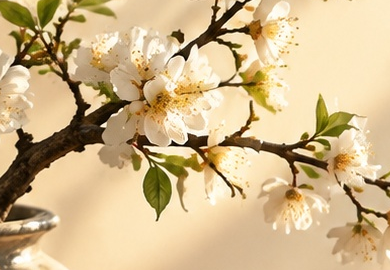 Input JPEG at quality 95
378 KB
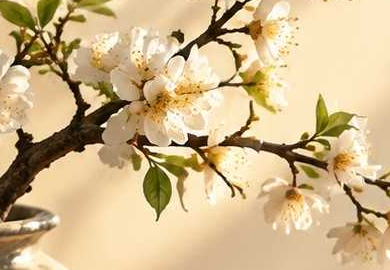 Compressed at quality 50
103 KB
Resize first — it is the bigger lever
A 6000-pixel camera file displayed in an 800-pixel column is carrying seven times more pixels than the screen can use. Halving the width quarters the pixel count; the file usually drops by more than half before you touch the quality dial at all.
So the order is: crop, resize, then compress. Doing it the other way round means compressing detail you are about to delete anyway.
What else is inside a JPEG
A camera JPEG is not just pixels. It carries an EXIF block with camera model, exposure settings, sometimes GPS coordinates — and often an embedded thumbnail. None of that survives a canvas re-encode, which is why photos processed through a browser tool often come out notably smaller even at quality 95.
That is usually what you want before publishing. Keep the original if you need the capture data.
Do not compress twice
Every lossy re-encode adds a generation of artefacts. Saving a JPEG at 85, then again at 85, does not give you "85 quality" — it gives you two rounds of damage and roughly the same size. Always start from the original export.
A recipe that works
- Resize the JPG to fit the layout if you can use smaller dimensions.
- Open the JPG compressor and try a quality between 85 and 95. Check the output and lower the setting if you need a smaller file.
- Compare before and after at 200% before you publish. Trust your eyes at normal size afterwards.